Build or buy a DATEV interface: when each option makes sense
2026-04-25
When does it make sense to build your own DATEV interface, and when is a DATEVconnect Gateway the better option? A decision guide for tax firms, TaxTech vendors, IT partners, and product teams.
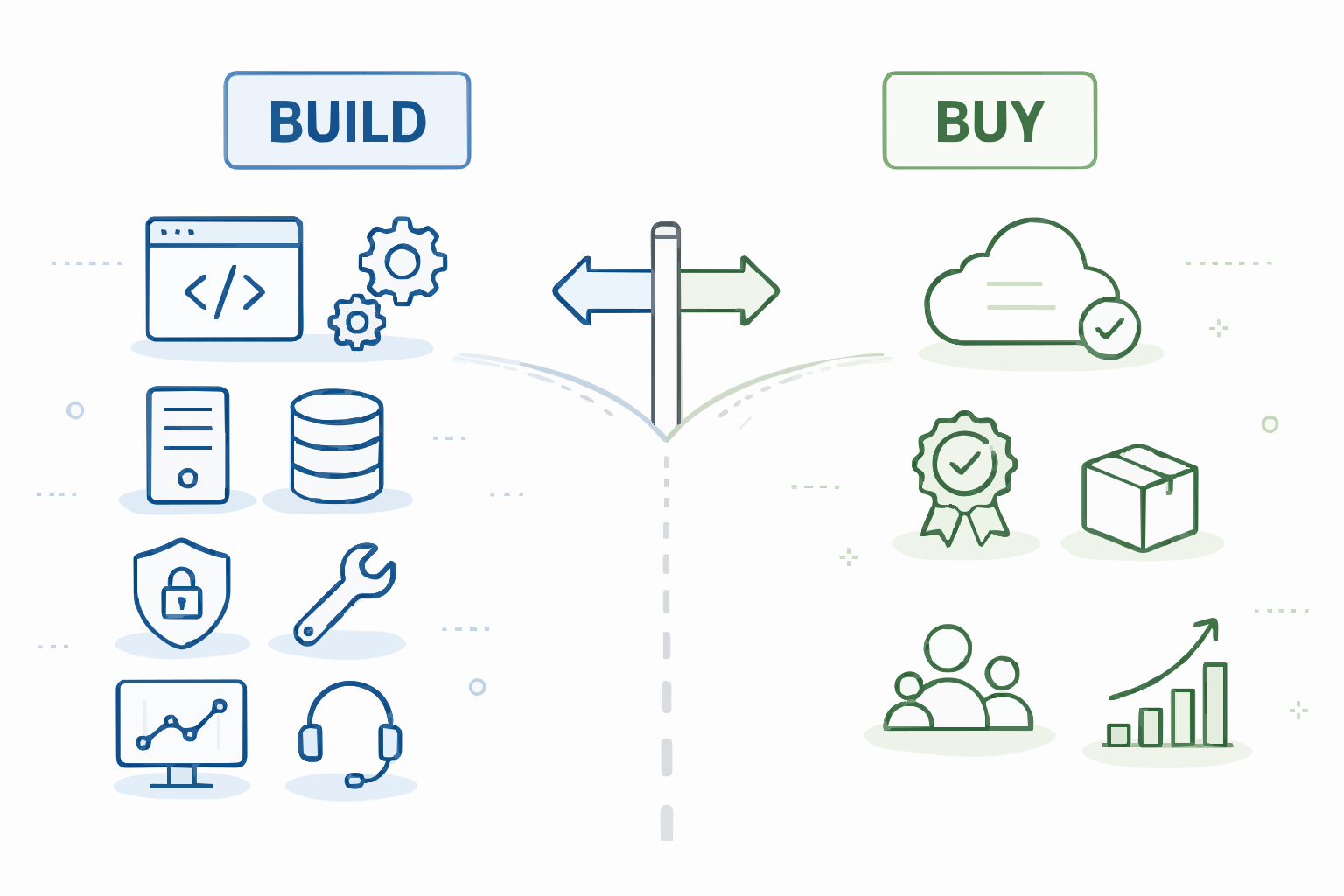
Many product teams start DATEV integrations with a seemingly simple question:
Can we just build the DATEV interface ourselves?
The honest answer: yes, often you can.
A good developer can usually get the first access working. A prototype is rarely the biggest problem. The real question is different:
Do you want to spend years learning how DATEV integration behaves in real tax firm environments?
Because there is a large gap between a successful API call and a reliable DATEV interface that works across many firms. That is where build vs. buy is decided.
The real question is not just build or buy
Before deciding between custom development and ready-made infrastructure, you need to clarify what you actually want to integrate.
Not every DATEV interface is the same.
Typical use cases include:
- sending master data from a CRM to DATEV
- creating clients or address records from an onboarding form
- retrieving documents and metadata from DATEV DMS
- using accounting data for reporting or Power BI
- transferring receipts or invoices from a shop system
- making DATEV data readable for AI, MCP, or workflow scenarios
These use cases require different technical paths. Sometimes DATEVconnect is enough. Sometimes DATEV Online APIs are more relevant. Sometimes you need deeper access to DATEV Desktop data. Sometimes a finished standard integration is better than a custom project.
That is why build vs. buy is not an abstract architecture question. It is a use-case question.
What build really means for a DATEV interface
Build sounds straightforward:
You read the API documentation, build a connector, integrate it into your product, and you are done.
In practice, that is too narrow.
Building your own DATEV interface does not only mean development. It also means operation.
You typically need to answer:
- Which DATEV data is needed?
- Is it stored in DATEV Desktop, DATEV DMS, accounting, master data, or DATEV Unternehmen Online?
- Is DATEVconnect sufficient for the use case?
- Is the integration read-only, or does it write data?
- In which user context does access happen?
- Which permissions does the user need in DATEV and in the Windows environment?
- Does the firm run locally, in DATEVasp, or in PARTNERasp?
- Who installs and operates the local service?
- Who monitors the connector?
- Who debugs customer issues?
- Who talks to tax firm IT, hosting partners, and the product team?
- Who can tell whether a problem is caused by DATEV, permissions, the network, the local Windows service, or your application?
This is the part many build calculations miss.
The prototype is rarely the problem
A working prototype only proves that the technical path is possible in principle.
It does not prove that you understand operations.
In real DATEV environments, problems appear that are invisible in a clean development setup:
- permissions are missing even though the installation looks correct
- a Windows service is running, but access does not work in the right user context
- DATEVasp or PARTNERasp behave differently from local setups
- one tax firm has several vendors in the same DATEV environment
- DMS documents are visible for one user but not for another
- updates change assumptions
- IT partners enforce their own security rules
- the customer describes a business issue, but the real issue is infrastructure
- monitoring says "service running", but DATEV access still fails
This is not an edge case. It is everyday life for a production DATEV interface.
The advantage is not only in the code. The advantage is in the failure patterns you have already seen.
Technology is not the biggest moat
Many teams overestimate the difficulty of the first technical access and underestimate the value of production history.
After a few weeks, a good team can often build a first connector.
After several years, a good team knows which things regularly break in real tax firms.
That is a different kind of value.
It is not only about calling an API. It is about recognizing patterns across many firms:
- Which permission issues happen again and again?
- Which tax firm IT questions come up before almost every installation?
- Which DATEVasp setups need special coordination?
- Where does user context become critical?
- Which errors are technical, and which are organizational?
- Which data is available through DATEVconnect, and which data is not?
- When should you tell a customer: this is not the right path?
If you build it yourself, you have to go through the same learning curve. There is no shortcut that fully replaces several years of production operation.
The underestimated asset: an experienced DATEV integration team
Build does not mean: "we assign two developers."
A reliable DATEV integration team needs several fields of expertise at once:
- DATEVconnect and DATEV Desktop APIs
- DATEV DMS, accounting, and master data
- DATEV Online APIs and how they differ from desktop scenarios
- DATEVasp, PARTNERasp, and local DATEV installations
- Windows services, user permissions, domain setups, and networking
- tax firm processes and typical ways of working
- support communication with tax firms and IT partners
- product boundaries: what works, what does not, and what should not be promised?
A team with this combination is not a standard API team.
It sits at the intersection of DATEV, tax firm IT, product development, and operations. That mix is hard to find, hard to build, and hard to retain.
For CTOs and product teams, this is the most important point:
Do not ask: can we build this?
Ask instead: do we want to own this specialized area permanently?
Separate DATEVconnect and DATEV Online APIs clearly
A common mistake is treating "DATEV API" as one single category.
That leads to poor architecture decisions.
DATEV Online APIs and DATEVconnect solve different problems. What matters is where the required data lives and which workflow you want to implement.
DATEVconnect is relevant when data is stored in DATEV Desktop environments and is reachable through DATEVconnect-supported modules. Typical areas include DATEV DMS, master data, accounting, and other DATEVconnect-supported areas.
DATEV Online APIs are relevant for other scenarios. Especially with DATEV Unternehmen Online, you need to check carefully whether the desired workflow is a DATEVconnect topic at all.
For technical details on Desktop APIs and Online APIs, DATEV points to the DATEV Developer Portal.
Also important:
DATEVconnect is not a universal API for all DATEV data.
If DATEVconnect does not cover the required data area, you need another path. For reporting, Power BI, controlling, tax assessment review, or deeper desktop data, the appropriate custom access path needs to be evaluated.
For DATEVconnect-based integrations, the DATEVconnect Gateway is the natural starting point.
When buy makes more sense
Buy is especially useful when DATEV access is a requirement for your product, but not your actual core product.
Examples:
- You are building a TaxTech product and need DATEV data.
- You want to synchronize CRM data with DATEV master data.
- You want to use DMS documents from DATEV in workflows.
- You want to connect n8n, internal portals, or automation to DATEV.
- You want to connect several tax firms.
- You do not want connector operations to block your product team.
In these cases, the DATEVconnect Gateway is often more useful than custom development.
The Gateway provides access to DATEVconnect-based data and workflows without requiring you to build the full connector operation yourself.
That does not mean no technical clarification is needed. DATEV remains DATEV. Permissions, environment, user context, and use case still need to be checked carefully.
But you do not have to start from zero.
When build can make sense
Build is not wrong.
There are cases where custom development makes sense:
- You only have one or a few controlled DATEV environments.
- Your engineering team already has strong DATEV experience.
- You have the resources in the team to work on the topic long term.
- DATEV integration is a strategic core of your product.
- You want maximum control over architecture and deployment.
- You consciously accept that operations and support stay internal.
Then build can be the right decision.
But the decision should be calculated honestly. Not just development. Also operations, support, monitoring, error analysis, tax firm IT communication, documentation, and long-term maintenance.
A DATEV interface is not a one-time project. It becomes part of your product.
Build vs. buy is also a focus decision
The scarcest resource in a good product team is not money. It is focus.
If your actual product is reporting, workflow, tax firm software, document processing, CRM, AI, or client communication, then DATEV access is probably infrastructure.
Infrastructure has to work. But it does not necessarily have to be built in-house.
The central question is:
Does your own DATEV interface bind your team to a specialized problem that pulls it away from the actual product?
If yes, buy is often the better decision.
Not because your team could not build it. But because it should build other things.
Decision matrix: build or buy a DATEV interface
| Criterion | Build | Buy / DATEVconnect Gateway |
|---|---|---|
| First prototype | often feasible | usually fast if the use case fits |
| Production operation | fully internal | supported by existing infrastructure |
| DATEVconnect experience | must be built up | already available |
| DATEVasp / PARTNERasp | clarify yourself | known setup patterns |
| Tax firm IT coordination | internal | structured jointly |
| Monitoring | build yourself | part of the operating model |
| Error analysis | own team | less connector load on the product team |
| Scaling to many firms | demanding | stronger fit |
| User context | model yourself | central architecture point |
| Special data / deep desktop data | solve individually | evaluate a custom access path |
| Control | maximum | shared |
| Focus | binds internal team | product team stays closer to core product |
| Risk | technical operation stays internal | vendor dependency, but less operational burden |
The table shows the core trade-off: build gives control. Buy reduces operational pain.
Both have a price.
Common mistake: confusing API coverage with product maturity
Using an API does not mean the product is integration-ready.
Product maturity only shows up in operation:
- stable installation
- understandable logs and monitoring
- known failure patterns
- clear support processes
- clean permission model
- understandable documentation and updateability
- clear boundaries toward customers
This matters especially with DATEV. In the end, a customer does not judge whether your first API call was elegant. They judge whether the integration works in daily operations and whether problems get solved.
Cost: do not compare only license fees with developer hours
Many build-vs-buy calculations compare only license fees with development cost. That is not enough. More relevant are:
- time to production rollout
- support load and error analysis
- operations, monitoring, and maintenance
- customer setup and tax firm IT coordination
- documentation
- opportunity cost in the product team
- risk from staff changes
- learning curve across real DATEV environments
An internal team can look cheaper until it has to provide ongoing support for integration infrastructure. The real cost block is not the code. It is responsibility.
Do not treat security and compliance as an afterthought
DATEV data often involves sensitive tax firm and client data.
That is why security questions need to be part of the architecture early:
- Which user may see which data?
- Is access executed in the user context?
- Which data is transferred?
- Is data stored permanently?
- Is read-only enough for the first version?
- How are accesses made traceable?
- What role do tax firm IT and technical service providers play?
- Which questions around professional secrecy under Section 203 of the German Criminal Code (StGB) and GDPR need internal review?
Especially for AI workflows, read-only is often the better start. Searching, summarizing, checking, and preparing are valuable first steps. If a process needs to change data, the safer question is which supported handoff, import, approval, or system-of-record path should be used.
The Klardaten MCP server also supports selected write actions, such as creating accounting sequences (Buchungsstapel). Write permissions require explicit approval, and write actions are recorded in the audit log.
Practical decision rule
Build it yourself if DATEV integration is a strategic core of your product and you are prepared to own operations and the production learning curve permanently.
Buy infrastructure if DATEV access matters, but your real value lies elsewhere.
If your use case is based on DATEVconnect, the DATEVconnect Gateway is the natural starting point.
If DATEVconnect is not enough, evaluate a supported alternative or custom integration path.
If you want to connect your own AI application to DATEV in a controlled way, the Klardaten MCP server is the appropriate path. If the tax firm does not want to build and operate its own workflow and instead needs a maintained solution for a specific task, consider Klarvos.
FAQ
Can you build a DATEV interface yourself?
Yes. Good developers can often get the first technical access working. The larger effort is usually not the prototype, but operation across real tax firm environments.
When is a DATEVconnect Gateway better than custom development?
When the use case is covered by DATEVconnect and you do not want to operate connector infrastructure, monitoring, installation, updates, and support for many tax firms yourself.
Is DATEVconnect a complete DATEV API?
No. DATEVconnect provides access to DATEVconnect-supported data and modules in DATEV Desktop environments. It is not a universal API for all DATEV data.
What is the difference between DATEVconnect and DATEV Online APIs?
DATEVconnect is relevant for DATEV Desktop environments. DATEV Online APIs address online and cloud scenarios. What matters is where the required data lives and which workflow you want to implement.
Does a DATEV interface also work in DATEVasp or PARTNERasp?
Yes, but setup and operation need careful coordination. The connector usually has to run where DATEVconnect is reachable. In hosted environments, coordination with tax firm IT or hosting partners is often required.
How should DATEV-related data changes be handled?
For many integrations, read-only is the better start. If a workflow needs to change DATEV-related data, it should be planned deliberately and validated from a business perspective. The right path may be a DATEV-supported interface, an import workflow, an approval step, or a handoff to an existing system of record.
Which DATEV data is suitable for integration?
Typical areas include master data, DATEV DMS, accounting, and other DATEVconnect-supported modules. For deeper desktop data or special reporting requirements, a custom access path may be necessary.
Is buy more expensive than build?
Not necessarily. Build often looks cheaper if you only count development. Realistically, you need to include operations, support, monitoring, customer setup, error analysis, tax firm IT coordination, and long-term maintenance.
What should you consider when several DATEV vendors work in one tax firm?
Clear permissions, user context, clean separation of accesses, and unambiguous responsibilities matter. The problem is not that several vendors exist. The problem is an unclear setup.
Which Klardaten solution fits which case?
The DATEVconnect Gateway fits direct REST integrations based on DATEVconnect. The MCP server connects custom AI applications to DATEV in a controlled way. Klarvos provides maintained solutions for specific tax-firm tasks without requiring the firm to operate its own workflow. Requirements outside DATEVconnect need individual evaluation.
Next step
Building a DATEV interface is possible. Operating it reliably across many tax firms is the real effort.
If you need DATEV access but do not want to go through several years of production learning yourself, we can help you evaluate the right path: DATEVconnect Gateway, a custom integration path, or a deliberate custom build.