In DATEVasp, DATEV installs the gateway. The firm then prepares a dedicated user for the connection:
-
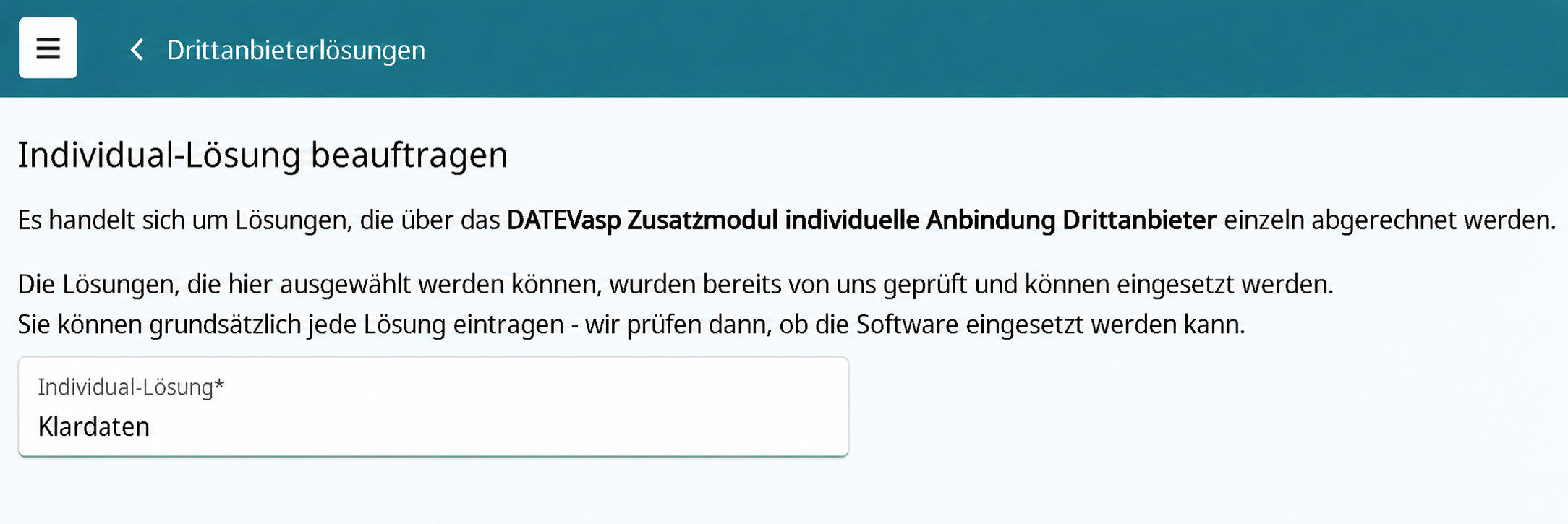
Open Individual-Lösungen in the DATEVasp Serviceportal. Enter Klardaten and order the installation of the Klardaten DATEVconnect Gateway. No manual review request is required.
-
DATEV installs the gateway overnight on your firm's communication server. Wait for the subsequent confirmation email before continuing with the next steps.
-
Create a new user for the connection in the DATEVasp portal. This technical user does not require a Microsoft 365 license. See DATEV's user creation guide for details.
-
Link the new user to a DATEV user in DATEV Arbeitsplatz. See DATEV's guide to linking DATEV and Windows users. Then add the DATEV user to the Alle Freigaben group:
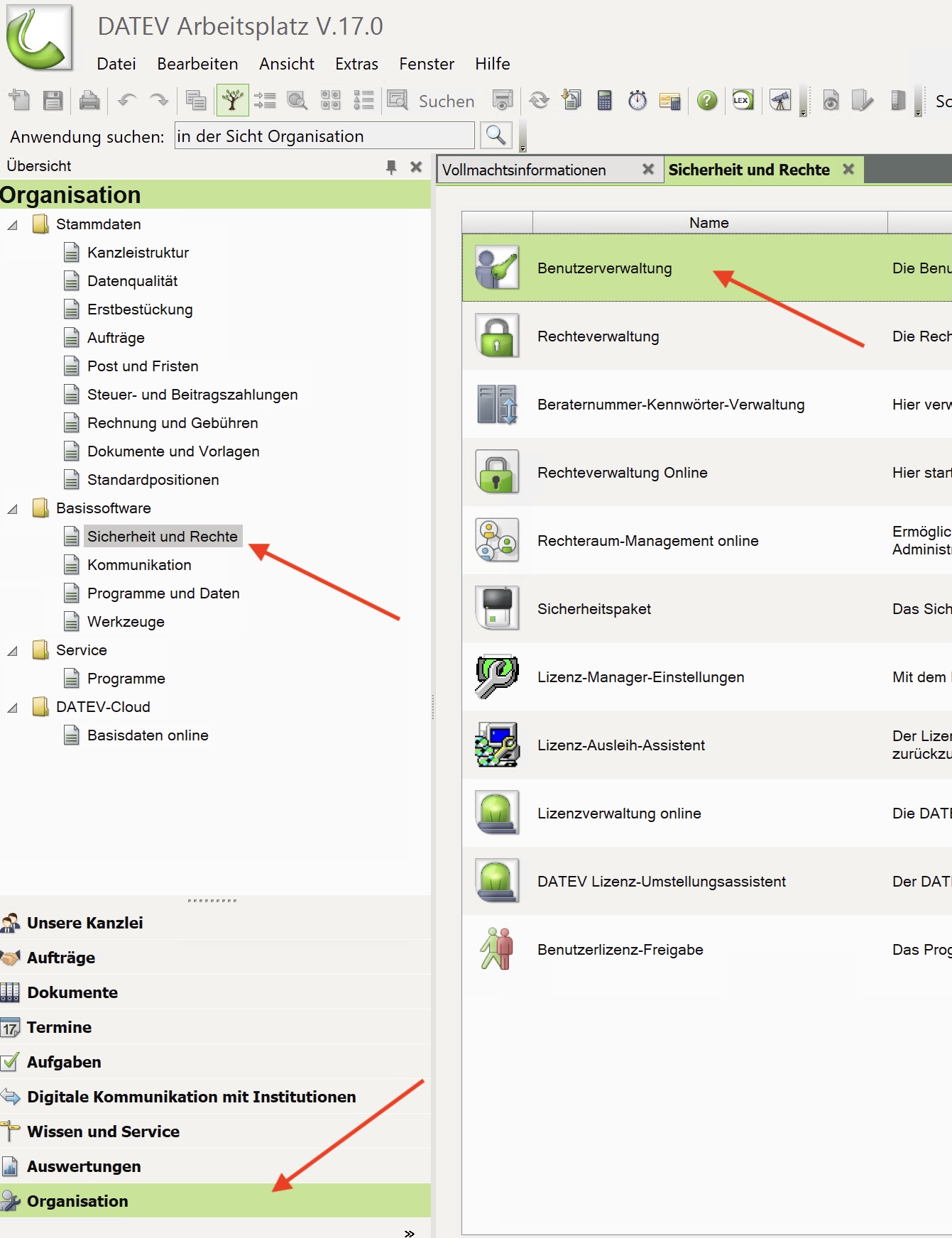
Open Organisation → Basissoftware → Sicherheit und Rechte and click Benutzerverwaltung.
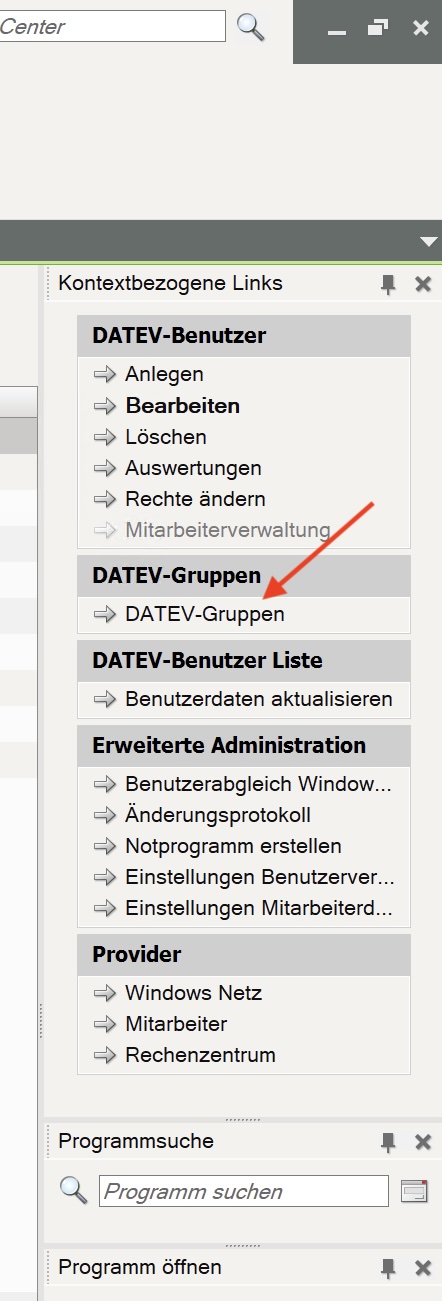
On the right, under Kontextbezogene Links, click DATEV-Gruppen.
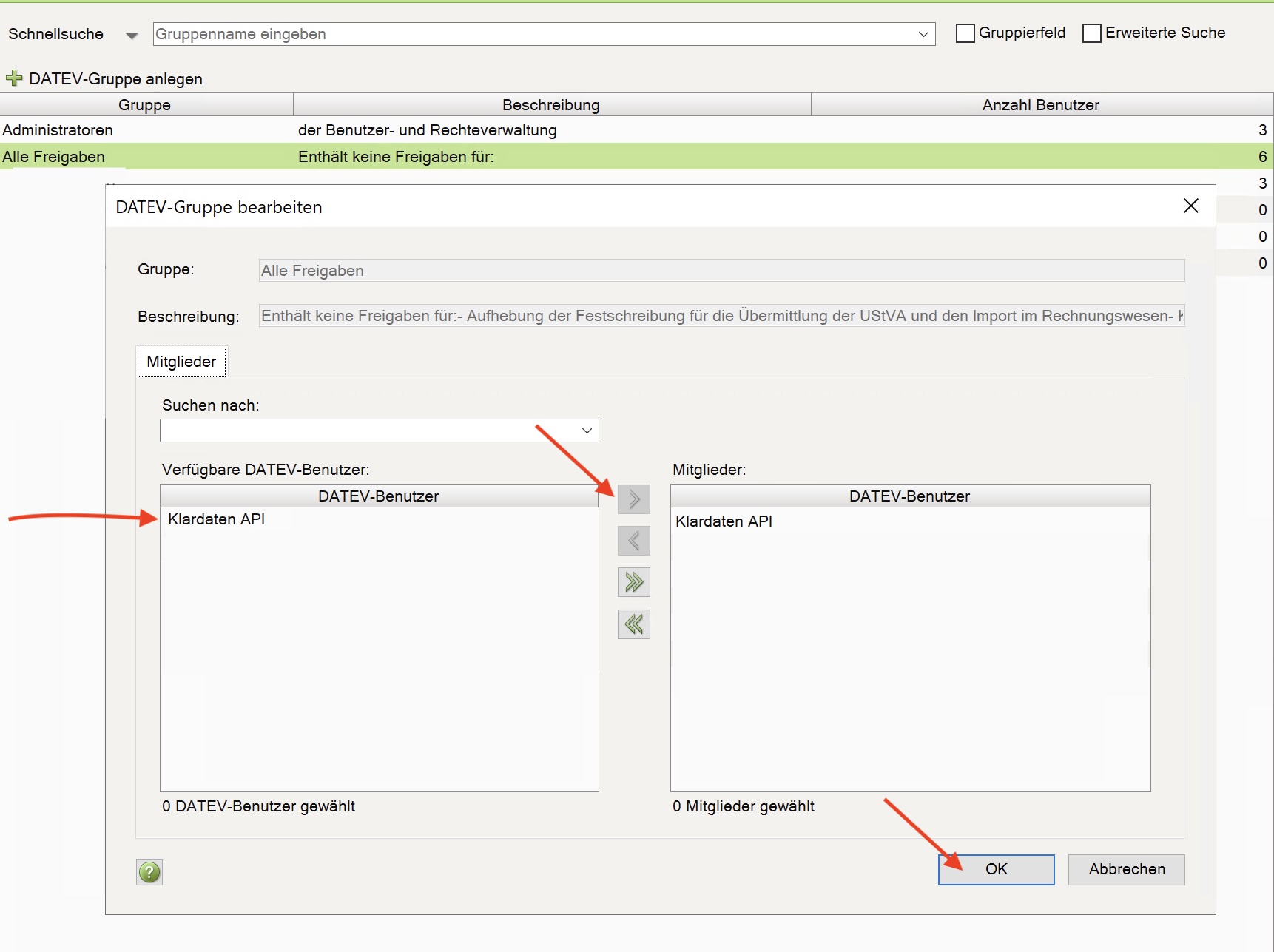
Open Alle Freigaben, select your DATEV user on the left (Klardaten API in this example), click the right arrow, and confirm with OK.
-
Sign in to DATEVasp once with the new user, change the initial password, and open DATEV Arbeitsplatz. Do not skip this step: it initializes the required permissions.
-
Open the secure transfer link in the Klardaten dashboard and use it to send the new user's credentials to Klardaten.
Password for the DATEVasp user
Observe the DATEVasp password rules during the first sign-in:
- The password must contain at least 12 characters and characters from at least three of these four groups: uppercase letters, lowercase letters, numbers, and special characters.
- It must not contain any part of the person's name or DATEVasp username.
- The previous seven passwords cannot be reused. Umlauts, superscript numbers, and
ßare not allowed. - Another manual password change is possible only after 24 hours.
Choose the password carefully before the first sign-in and store it securely for the subsequent transfer.
Need help?
If something is not working, send us the relevant logs or a screenshot together with a short description of the environment.
Email support