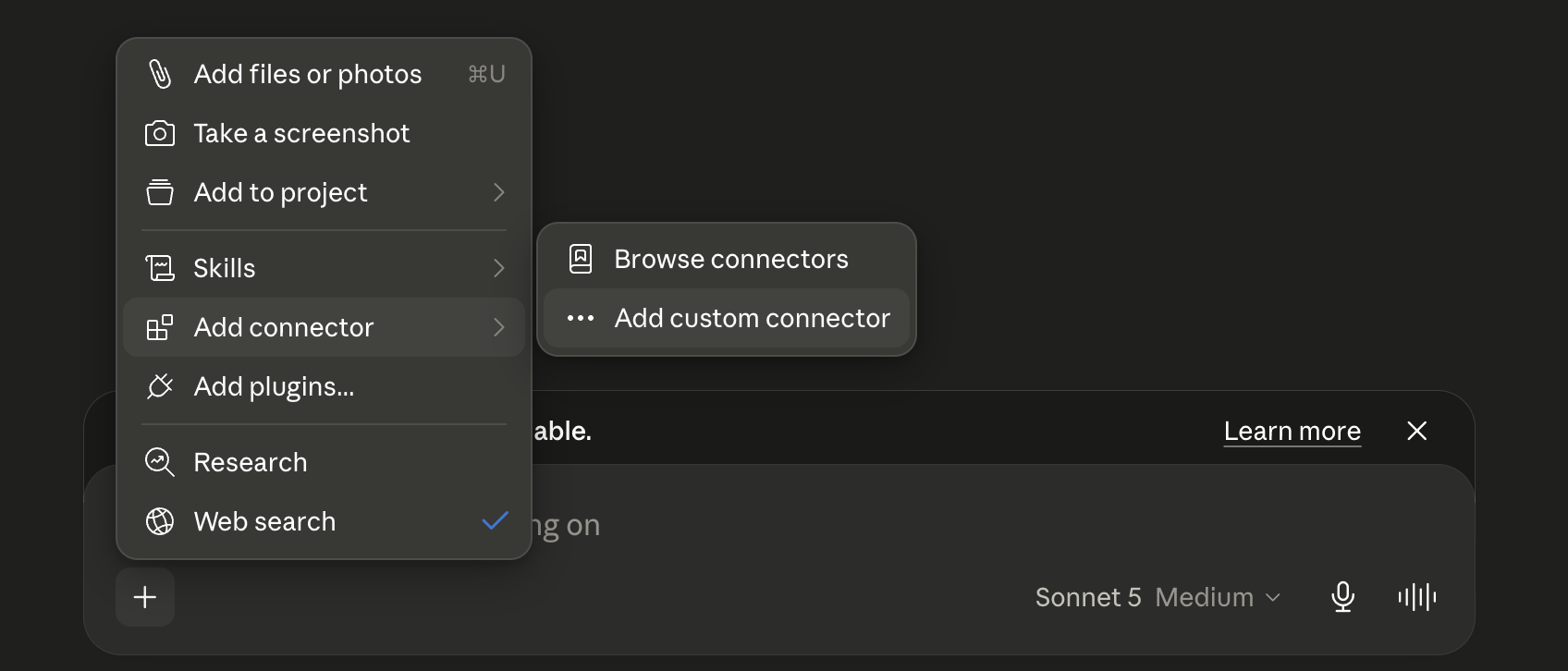
- In a Claude chat, click the + button, select Add connector, then select Add custom connector.
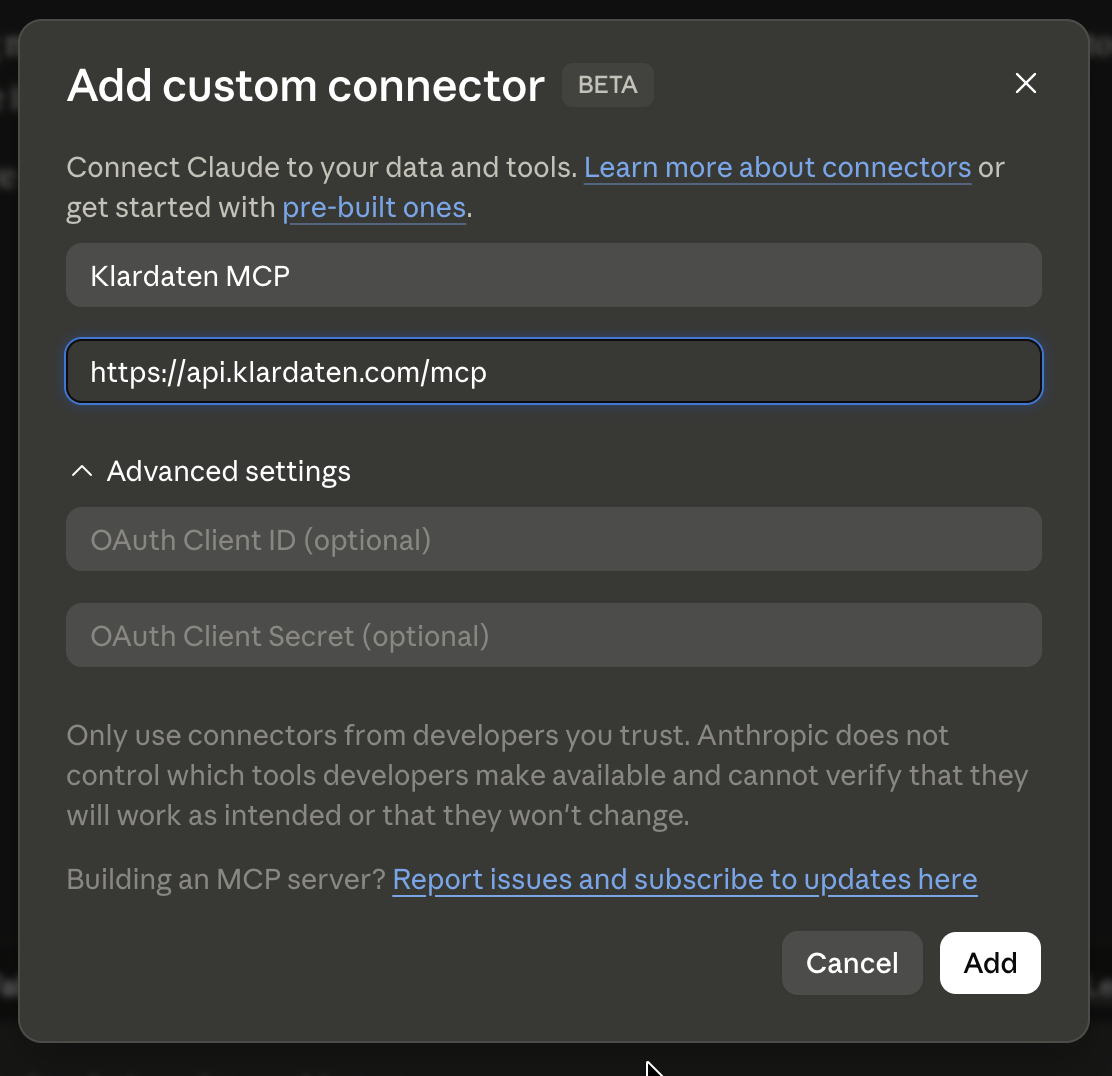
- Name the connector, for example Klardaten MCP, and enter this address as the Remote MCP Server URL:
https://api.klardaten.com/mcp. Then click Add.
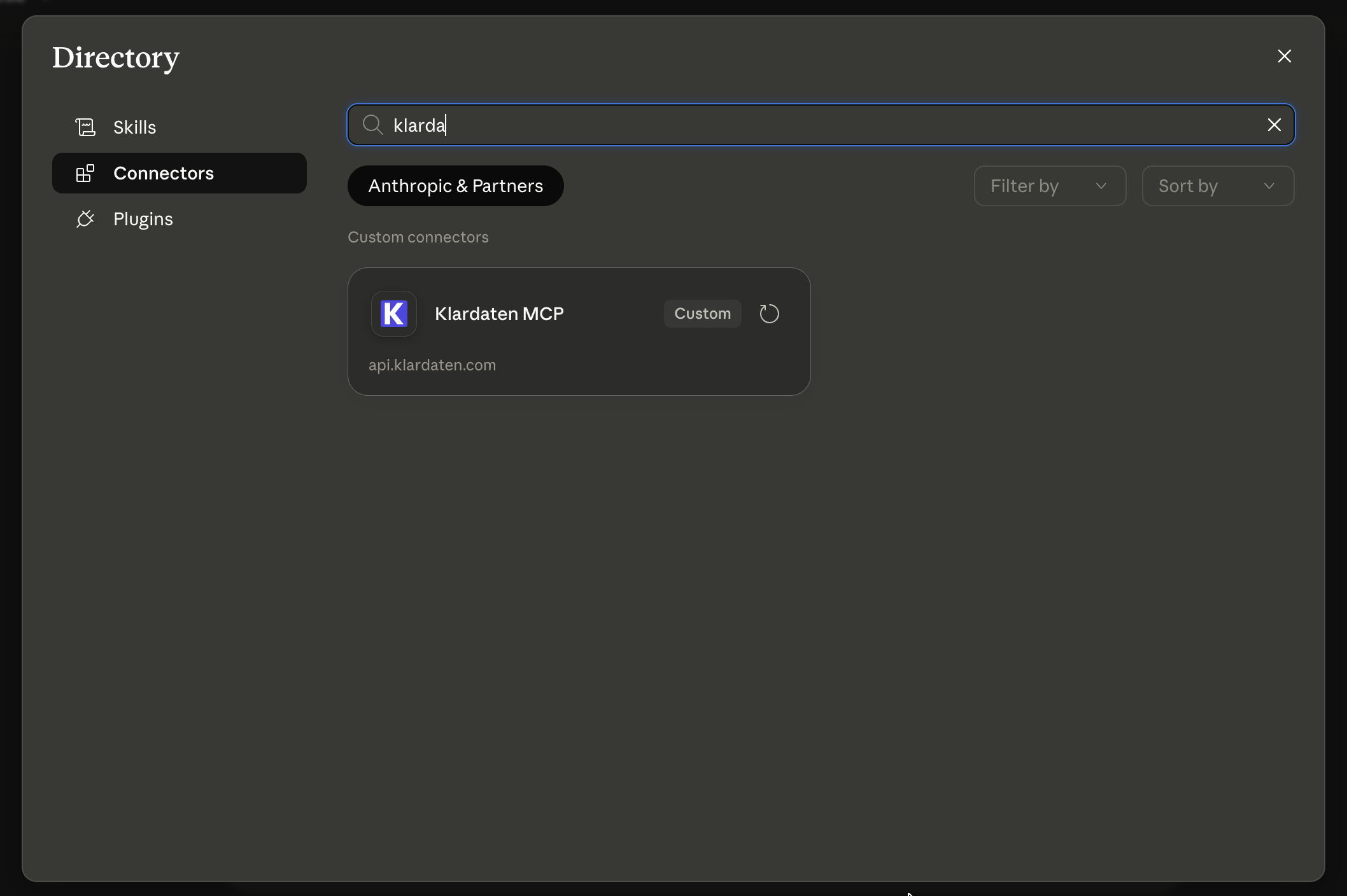
- Click + again, select Add connector, then Browse connectors. Search for the name of the connector you created and select it.
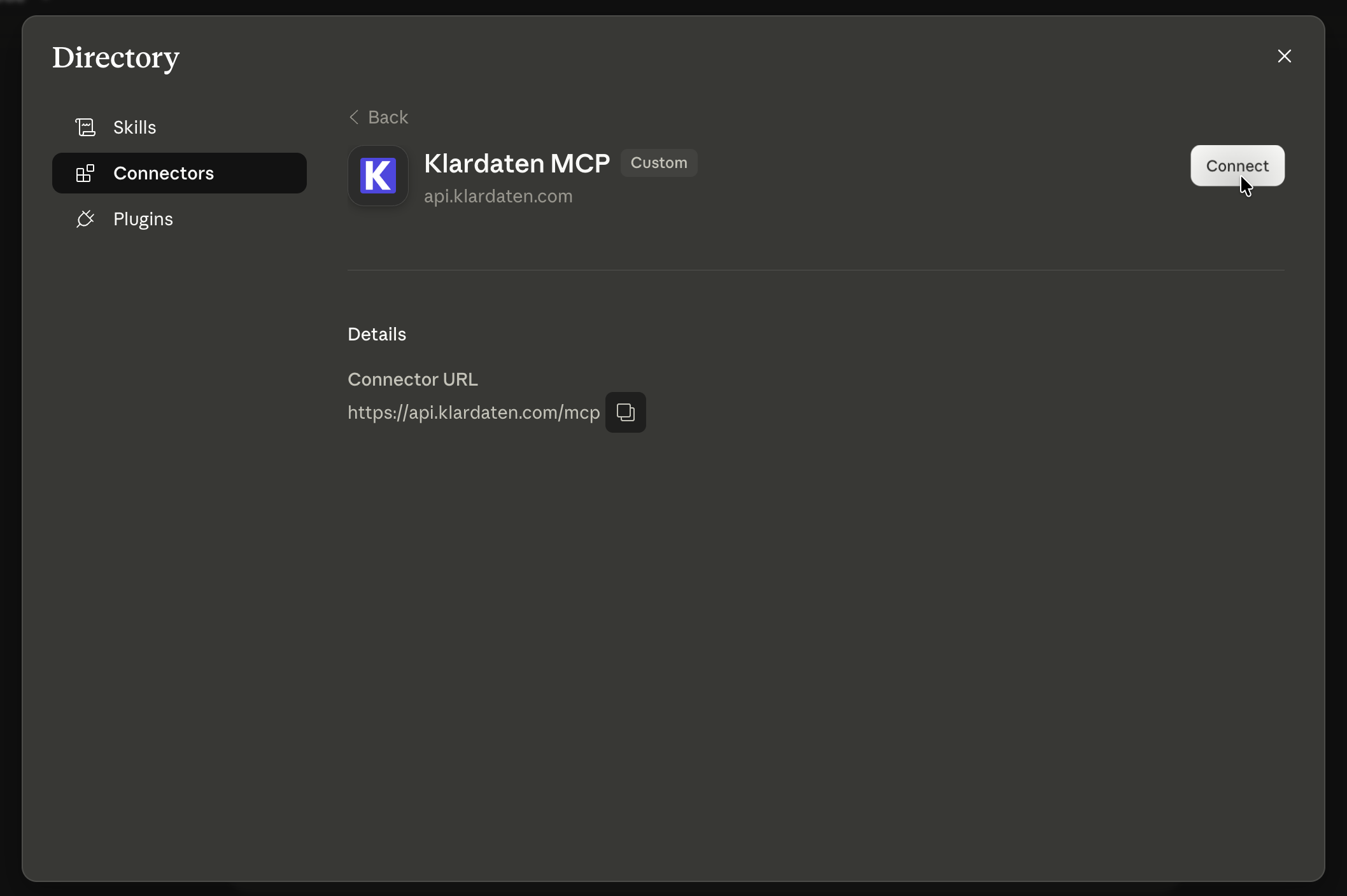
- Click Connect.
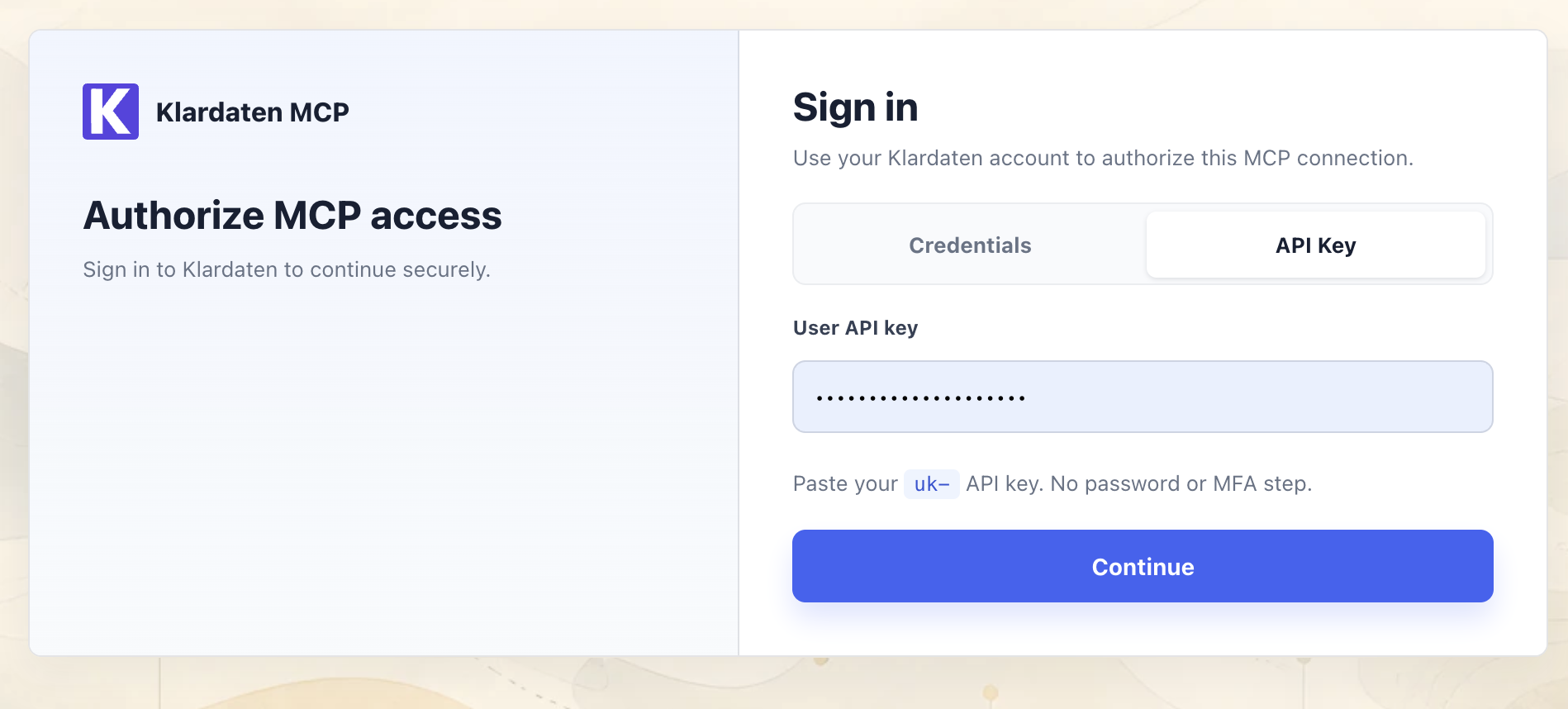
- On the Klardaten sign-in page, sign in with your Klardaten credentials or select API Key and enter your user API key, then click Continue.