- Open Microsoft Copilot and switch from Chat to Cowork.
- In the left navigation, select Customize, then open the Plugins tab.
- Search for “Klardaten” or “DATEV”, then select “Klardaten DATEV-Connector”.
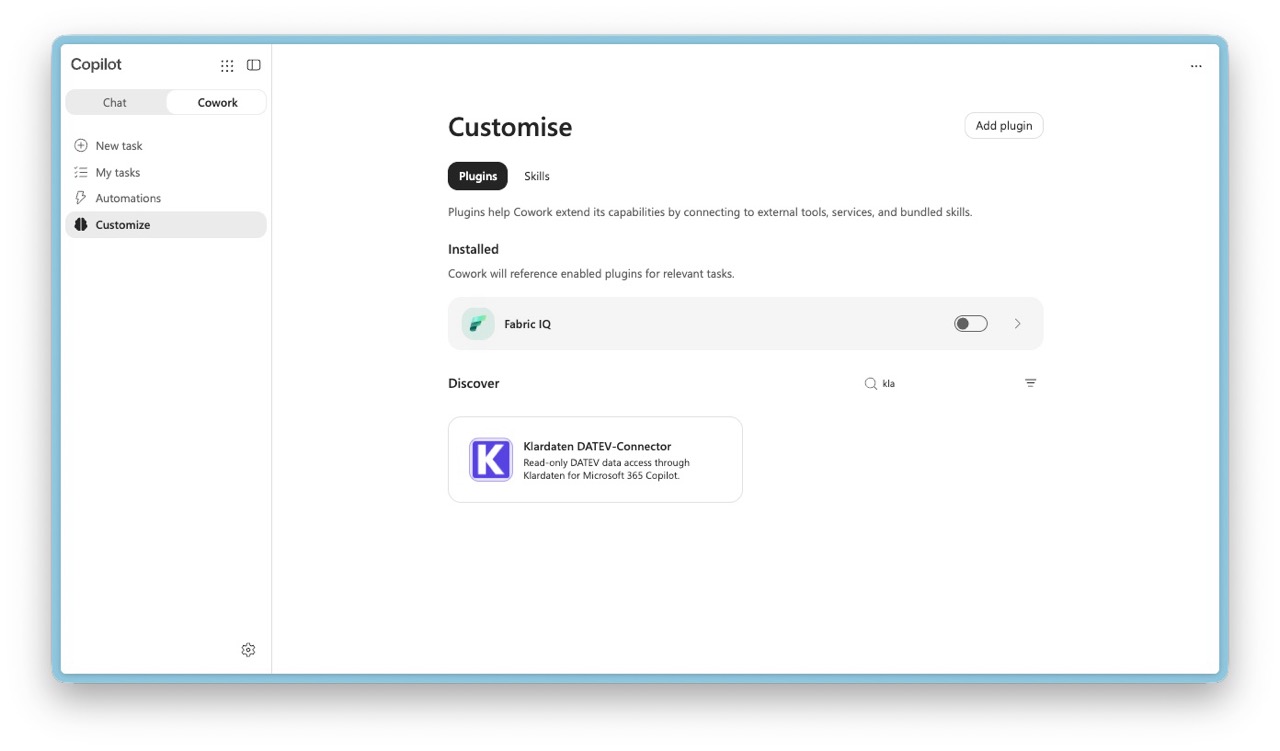
- On the plugin details page, select Add. Once installed, enable the plugin for the conversation from Sources & Skills.
- Start a Cowork task that needs DATEV data. When Cowork asks you to connect, complete the one-time Klardaten sign-in.
- If the plugin does not appear, contact your organization’s IT administrator. The plugin may need to be approved or deployed for your organization.
Copilot Cowork
Add the Klardaten DATEV Connector in Microsoft Copilot Cowork and authorize access to DATEV data.